Time for your Kassensturz
See where your money goes: income, expenses and what’s left – month by month.


Four screens
The app needs no bank connection and no account.
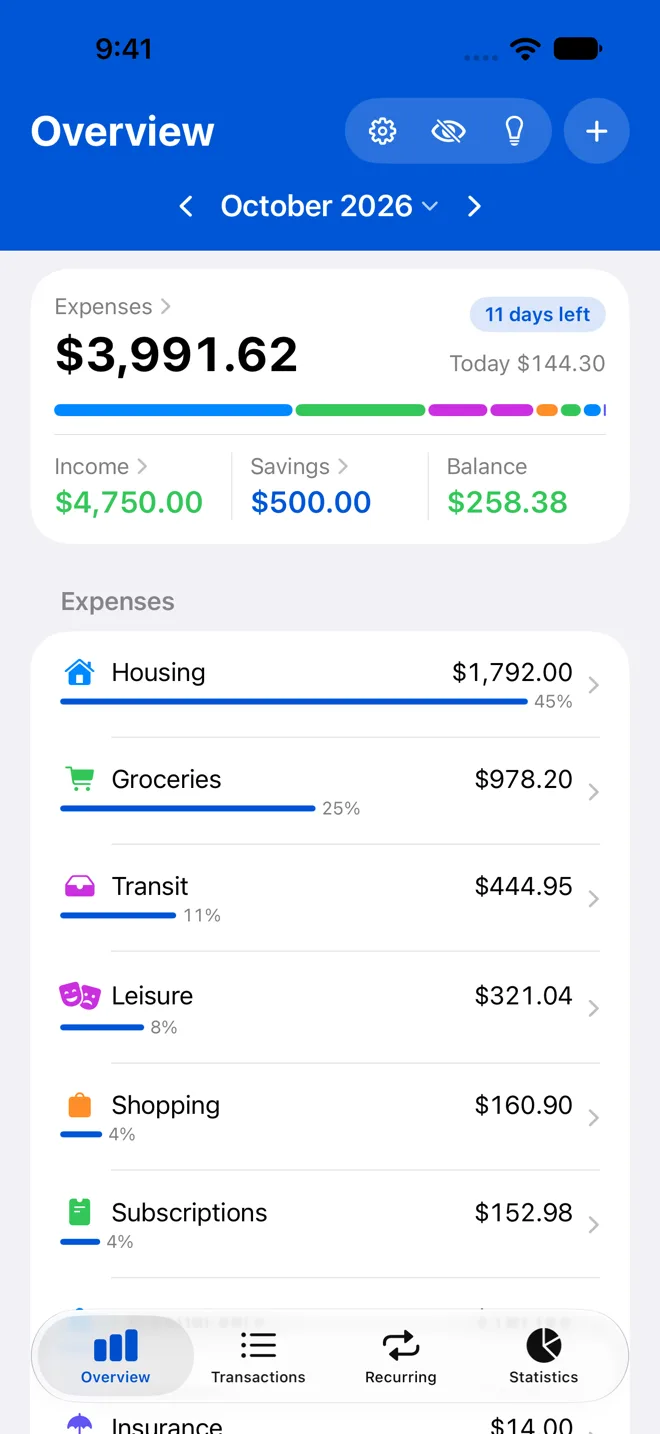
Month overview
Expenses, income and balance for the month are at the top, the categories below. What you put aside, like a monthly index fund plan, counts as savings: it stands beside your expenses instead of in them. Tap a category to see its transactions. Swipe to go to the previous month.
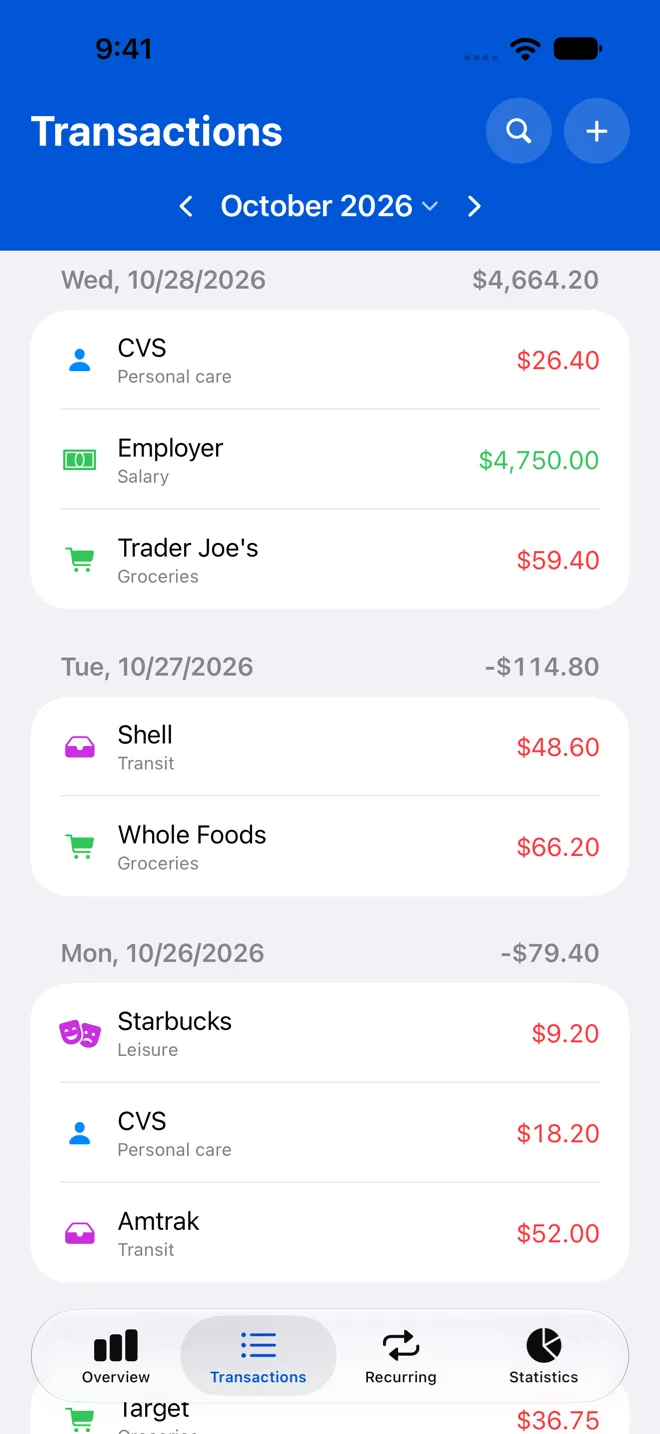
Transactions
Every transaction of the month in one list, with search.
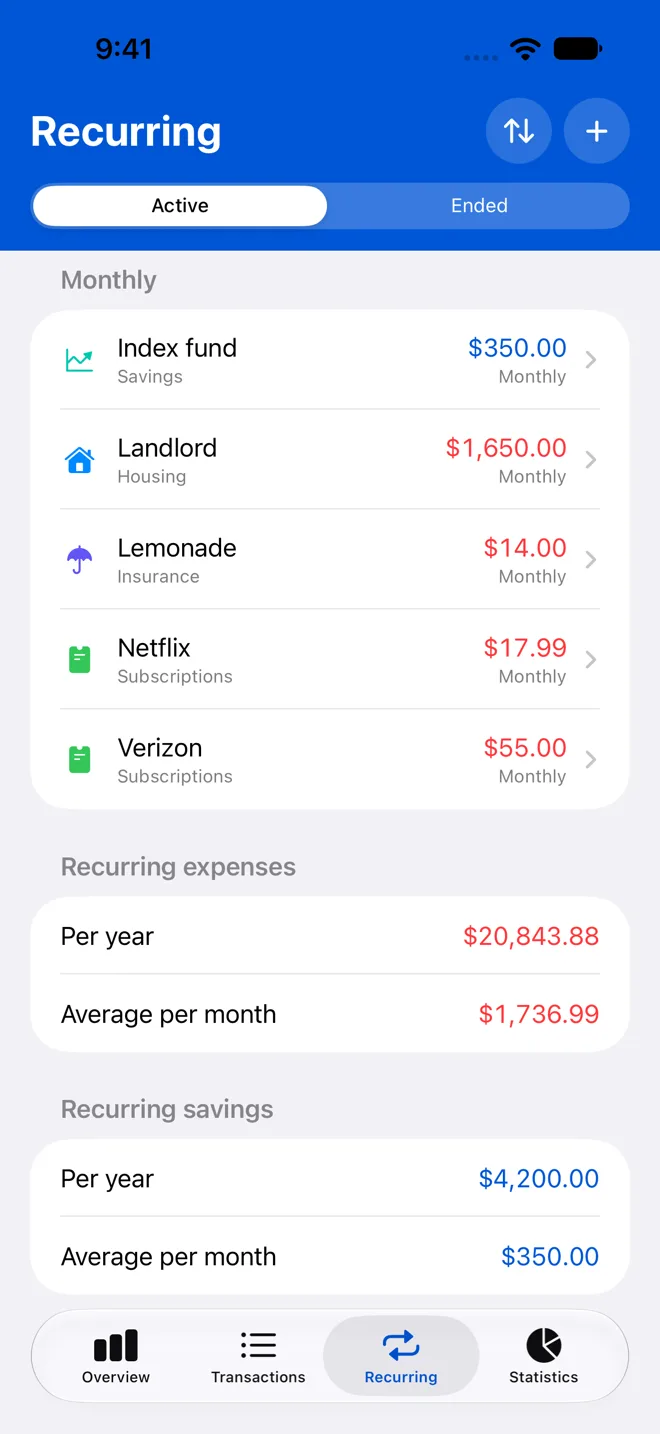
Recurring items, entered once
Rent, insurance, subscriptions or your salary: you set them up once as a series, and Kassensturz books them at the right time: monthly, quarterly, half-yearly or yearly. You can skip one, change the price from a coming booking on, or end the series.
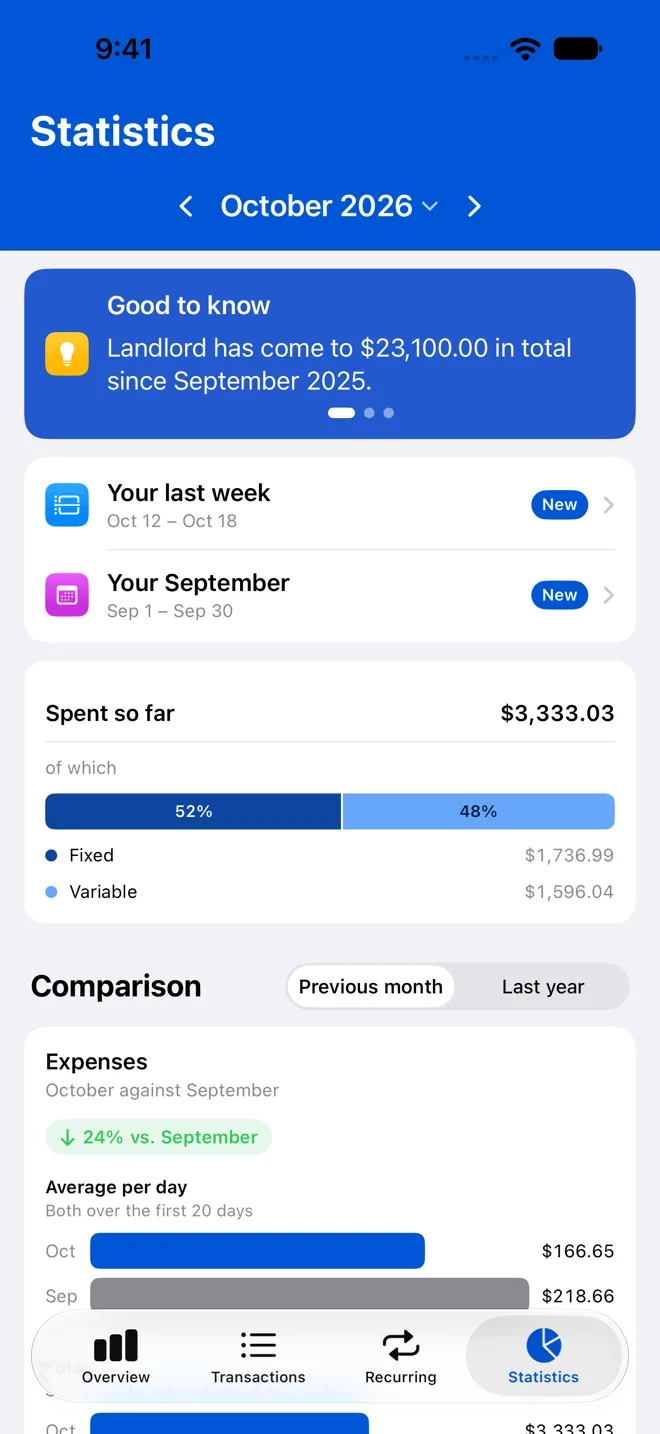
Statistics
Statistics show what you have spent so far this month and how much of it is fixed costs. They compare the month with last month or last year and show the categories that changed most; the color stands for plus or minus, the width for the size. The trend shows the last twelve months.
Entering, storing, importing
How you enter a transaction, where your data is stored and how you import old data.
Entering a transaction
You enter the amount and the item. Kassensturz suggests the categories you have filed that item under before, the most frequent first. Nothing is filed until you tap one.
Your data, your iCloud account
All transactions are stored on your iPhone and in your own iCloud account. Every iPhone signed in to that account has them, a new one too. There is no account with us, none of your data on our servers and no analytics. You can also save a backup file in the app’s settings.
Import from the “Meine Ausgaben” app
You can import the export from the “Meine Ausgaben” app into Kassensturz. It finds the costs that repeat and suggests them as recurring items.
Three plans, all features
So you can try the app properly, 100 minutes of use are free – only the time the app is open counts. That is usually enough for the first month. After that, buying once is the best deal – a subscription works too. You cancel a subscription in the App Store at any time.
Opening offer
Only until January 31*
Opening offer

Monthly
Renews monthly
instead of $1.99
$0.99
per month
Opening offer
Yearly
Renews yearly
instead of $9.99
$7.99
per year
Save $10*
Recommended
Kassensturz forever
Pay once, no subscription
instead of $29.99
$19.99
one-time
* Opening offer until January 31, 2027. After that, “Kassensturz forever” costs $29.99, and a new subscription $1.99 a month or $9.99 a year. Subscribe by then and keep your price for as long as you stay subscribed.
Subscriptions renew automatically unless you cancel at least 24 hours before they end, in your Apple Account settings. Purchased through the App Store, which shows your own currency. Prices in US dollars, plus sales tax where it applies.
Frequently asked questions
If your question is not here, write to us at contact@hello-labs.de.
Buying
What does Kassensturz cost?
Until January 31, 2027, Kassensturz forever is $19.99 once instead of $29.99, and a subscription $0.99 a month or $7.99 a year. Subscribe by then and you keep that price for as long as you stay subscribed; new subscriptions then cost $1.99 a month or $9.99 a year. The first 100 minutes of use are free, and only the time the app is open counts. That is usually enough for the first month. You buy and cancel in the App Store.
What happens if I cancel the subscription?
The app keeps working until the end of the paid period. After that you can still view and back up your transactions, but not add new ones. Your data stays on your iPhone and in your own iCloud account.
Does it support Family Sharing?
Yes, for all three plans. One purchase covers everyone in your Family Sharing group. Each person still has their own Kassensturz with their own data. Nothing is shared between you.
Data and privacy
Where is my data?
On your iPhone and in your own iCloud account. Through it, your data reaches every iPhone signed in to that account, a new one too. If you don’t use iCloud, the app works on the iPhone alone. Kassensturz has no account of its own, no server for your data and needs no bank connection.
Can I export my data?
Yes. In the settings you create a backup that restores everything, or a CSV export for a spreadsheet.
Is there tracking or advertising?
No. Not in the app and not on this website. There are no analytics and no cookies. You can reach us by email, or send ideas and bug reports from the app under Settings › Suggest an improvement.
How is my data protected?
On your iPhone the data is stored in the app’s own area, which iOS encrypts. In your iCloud account Apple stores it encrypted. We have no access to it: there is no account with us, and none of it is on our servers. Privacy mode can also hide income, balance and categories you choose; you turn it off with Face ID or your passcode.
Device and import
Which devices are supported?
iPhone with iOS 17 or later. The app is for iPhone only, not for iPad, Mac or Android. It comes in German and English. Numbers and dates follow your device’s region settings; the currency starts as your region’s, and you can change it under Settings › General › Currency.
Does the app sync between devices?
Yes, between your iPhones, through your own iCloud account. Transactions, categories, recurring items and settings reach every iPhone signed in to it, a new one too. Without iCloud the app works on the iPhone alone.
Can I import my data from the “Meine Ausgaben” app?
Yes. Export the full history there and import the file into Kassensturz. It finds the costs that repeat and suggests them as recurring items. You choose which ones to keep.
What if you stop?
Your data is on your iPhone and in your iCloud account, not with us. A backup or the CSV export takes it anywhere at any time, and the app stays on your iPhone.
Get started
You buy Kassensturz in the App Store: once and for good, or as a monthly or yearly subscription. The first 100 minutes of use are free – only the time the app is open counts.